Clearing Fraud Holds
Overview
This procedure outlines the steps to clear fraud holds on a student's record in Colleague.
Note
- If student has not done so already, have them submit an Identity Verification Form.
- If the student is at the window and is still having difficulty, we can scan the physical verifying document (e.g., driver's license, passport) and upload to Laserfiche.
Processing Steps
- Navigate to PERC on Colleague.
- Enter Student ID number.
-
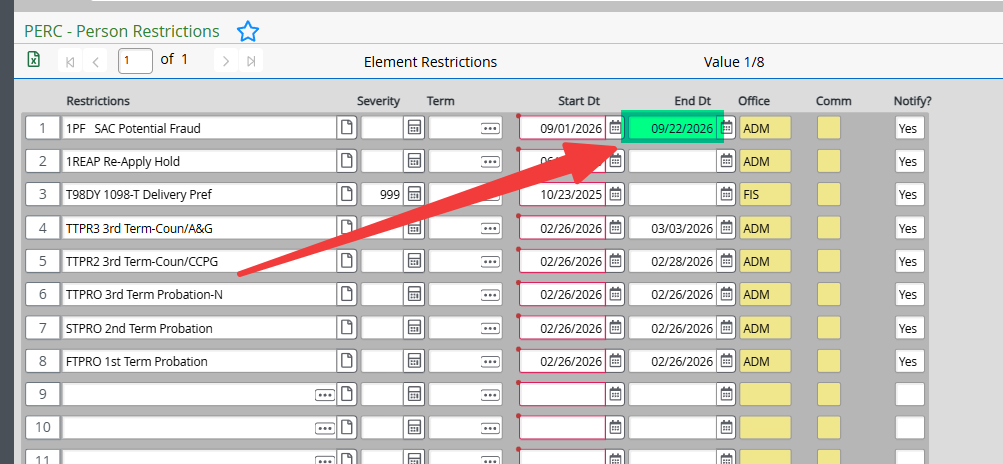
Locate the fraud hold on the student's record and enter yesterday's date as the end date.
-
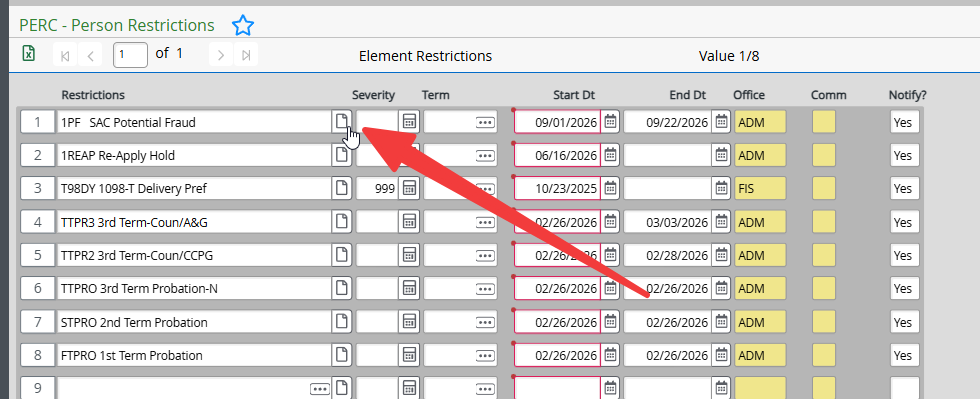
Detail into the hold.
-
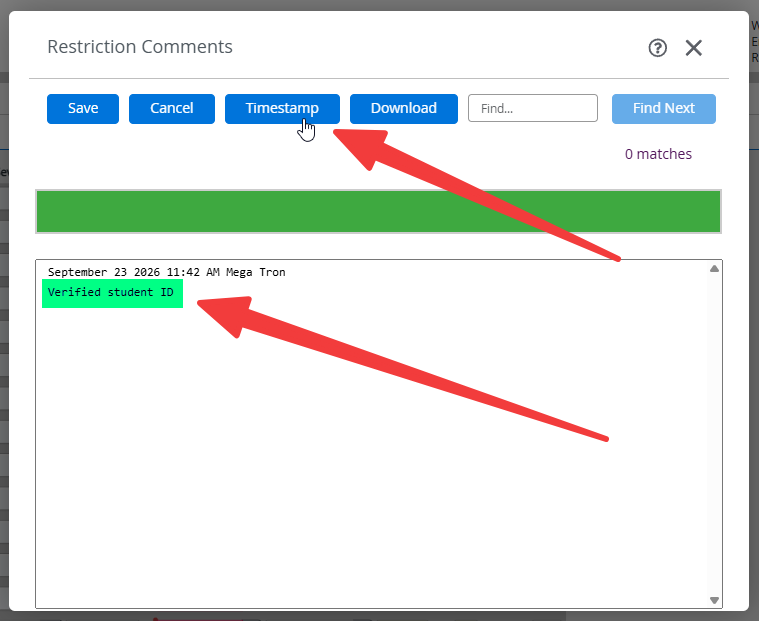
Click Timestamp and enter comments.
-
Click Save and then click Save All.