Attendance Web
Station Config
Purpose: Update login station configurations for Attendance Web.
-
Navigate to Attendance Web.
-
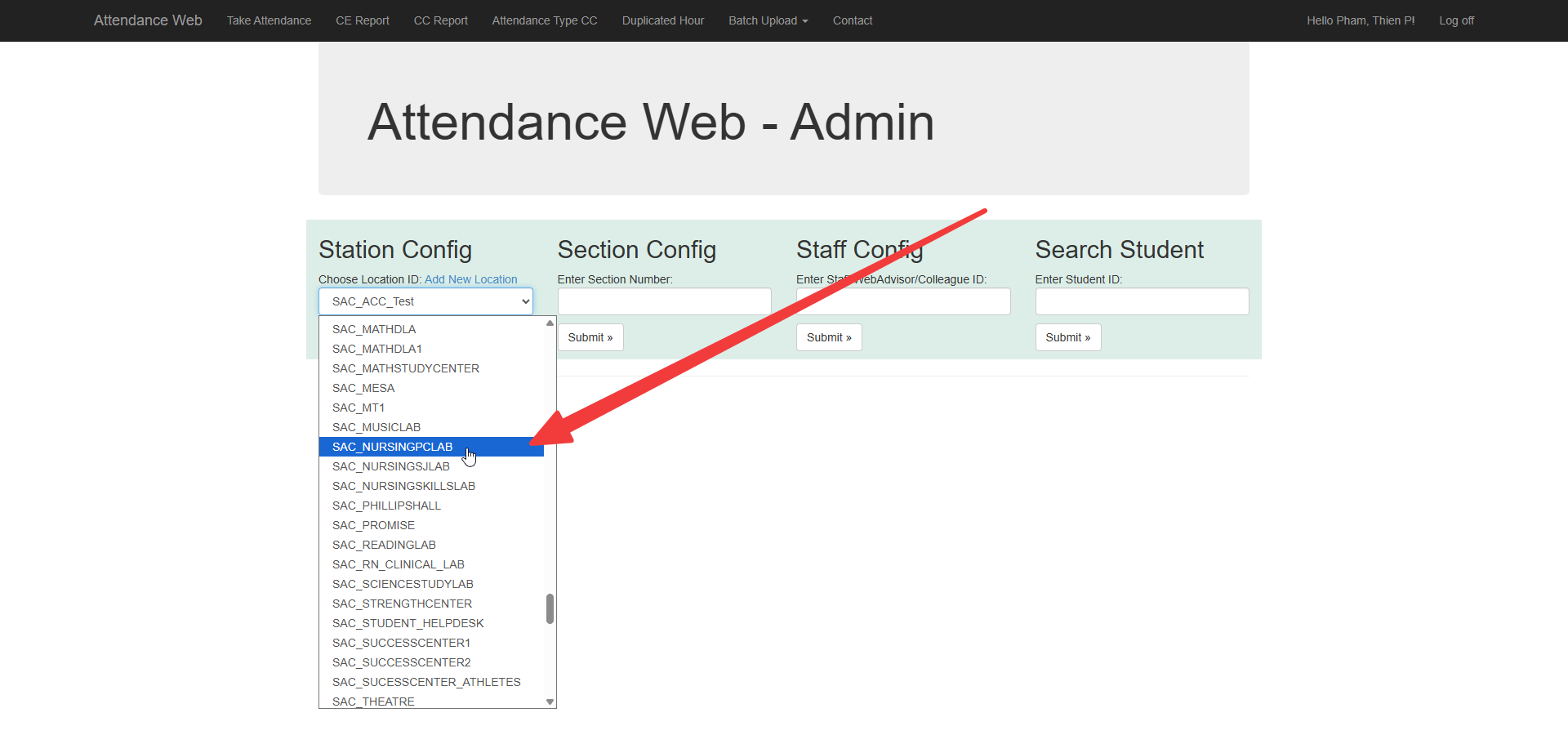
Click on Choose Location ID.
-
Click on the appropriate lab and then click Submit.
-
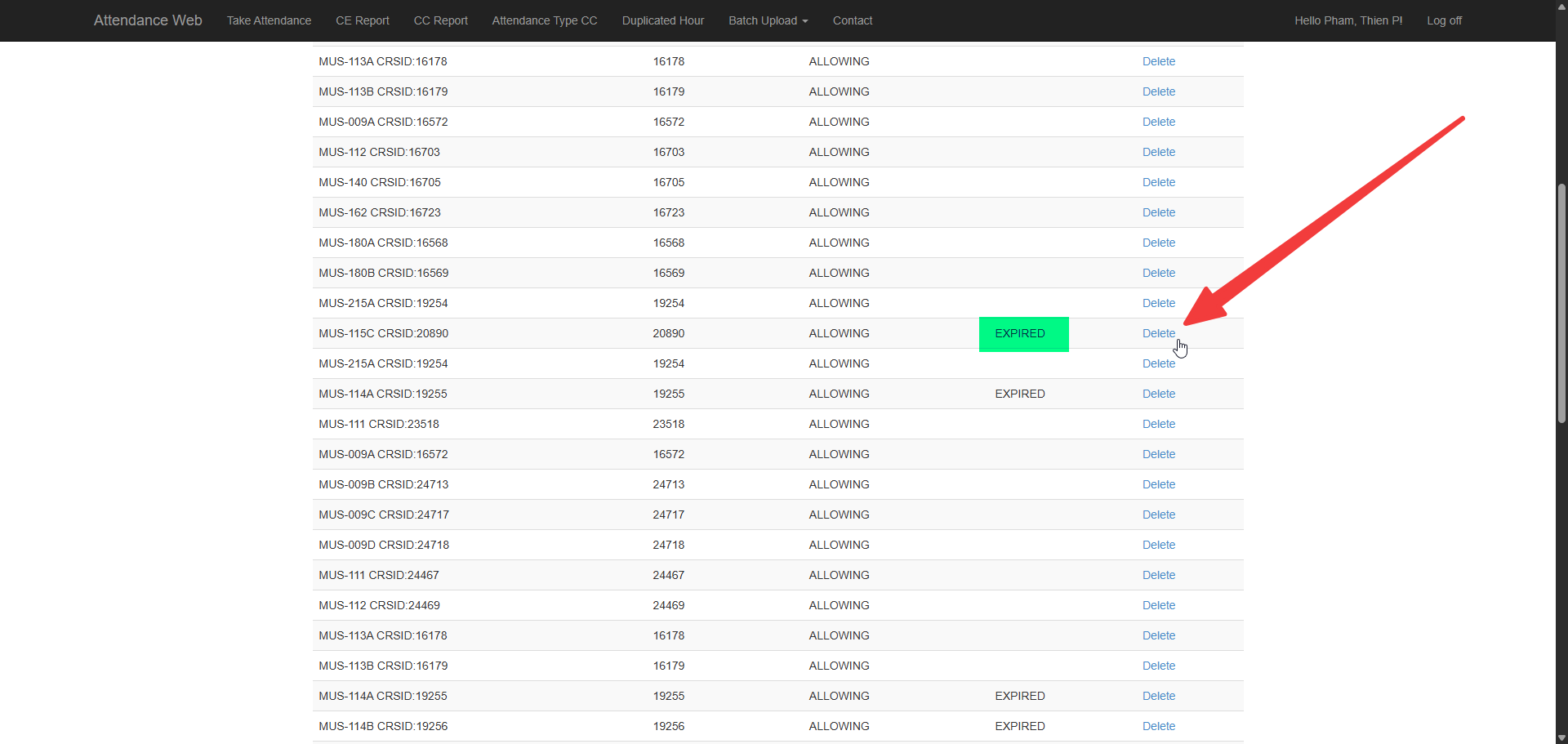
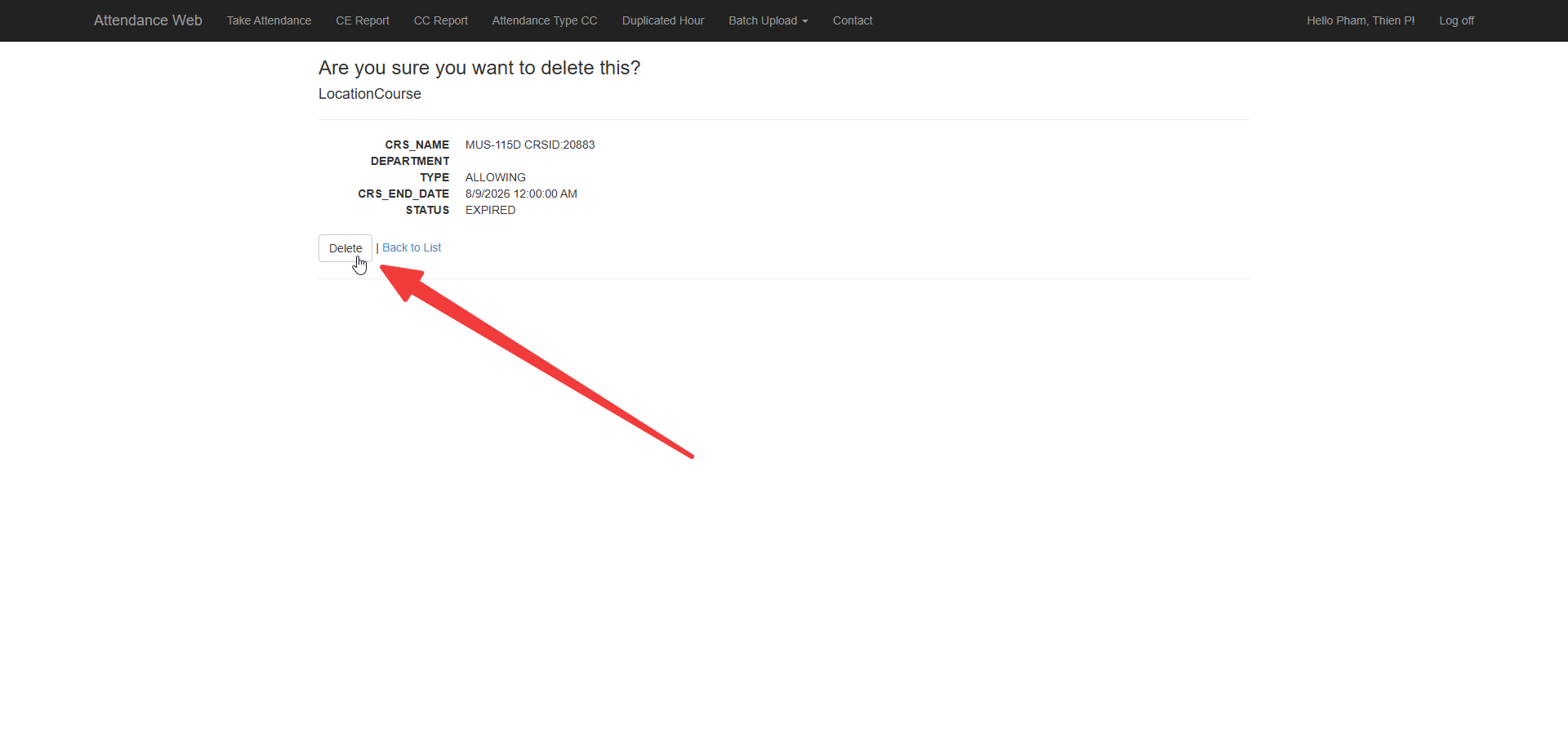
Delete any expired configurations.
-
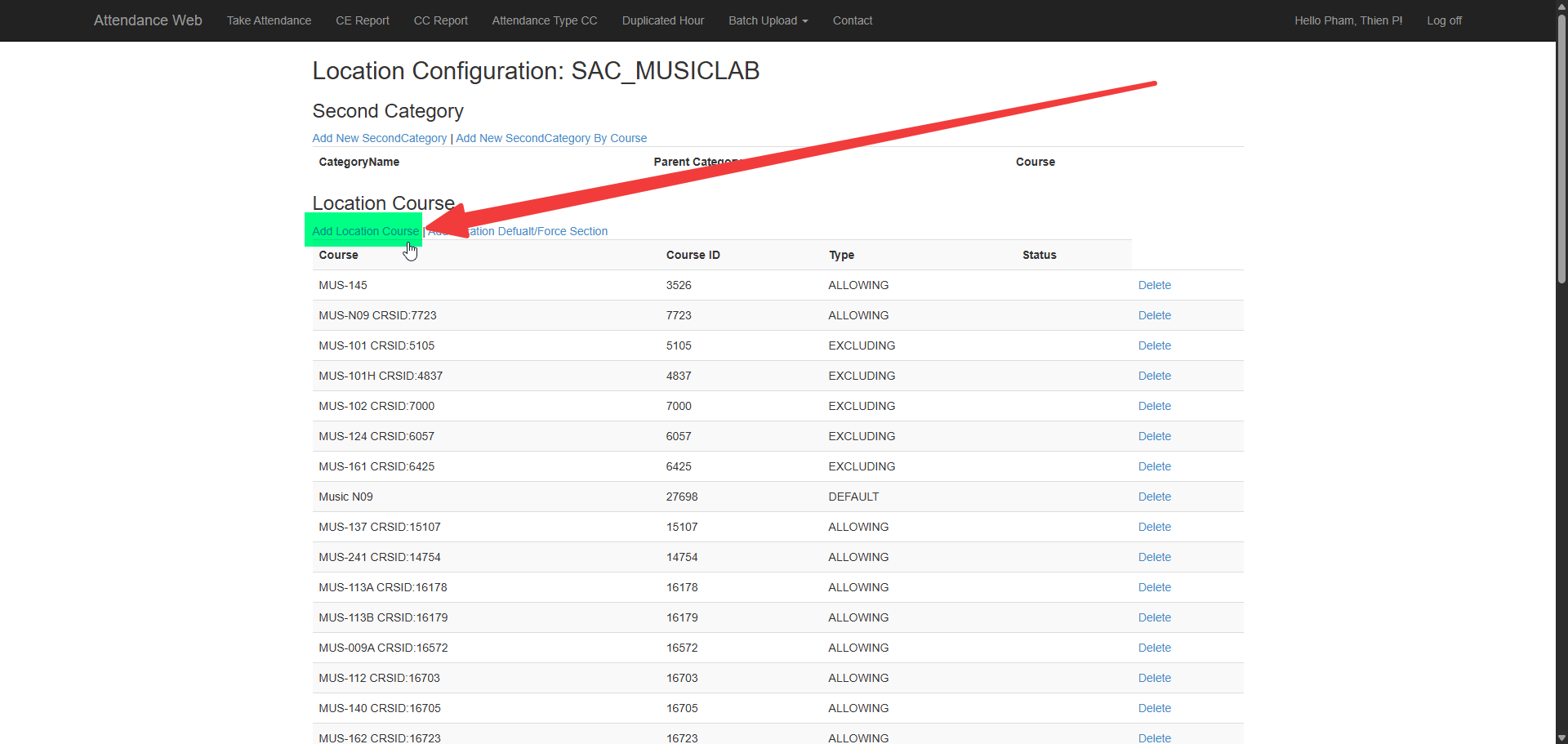
Click on Add Location Course.
-
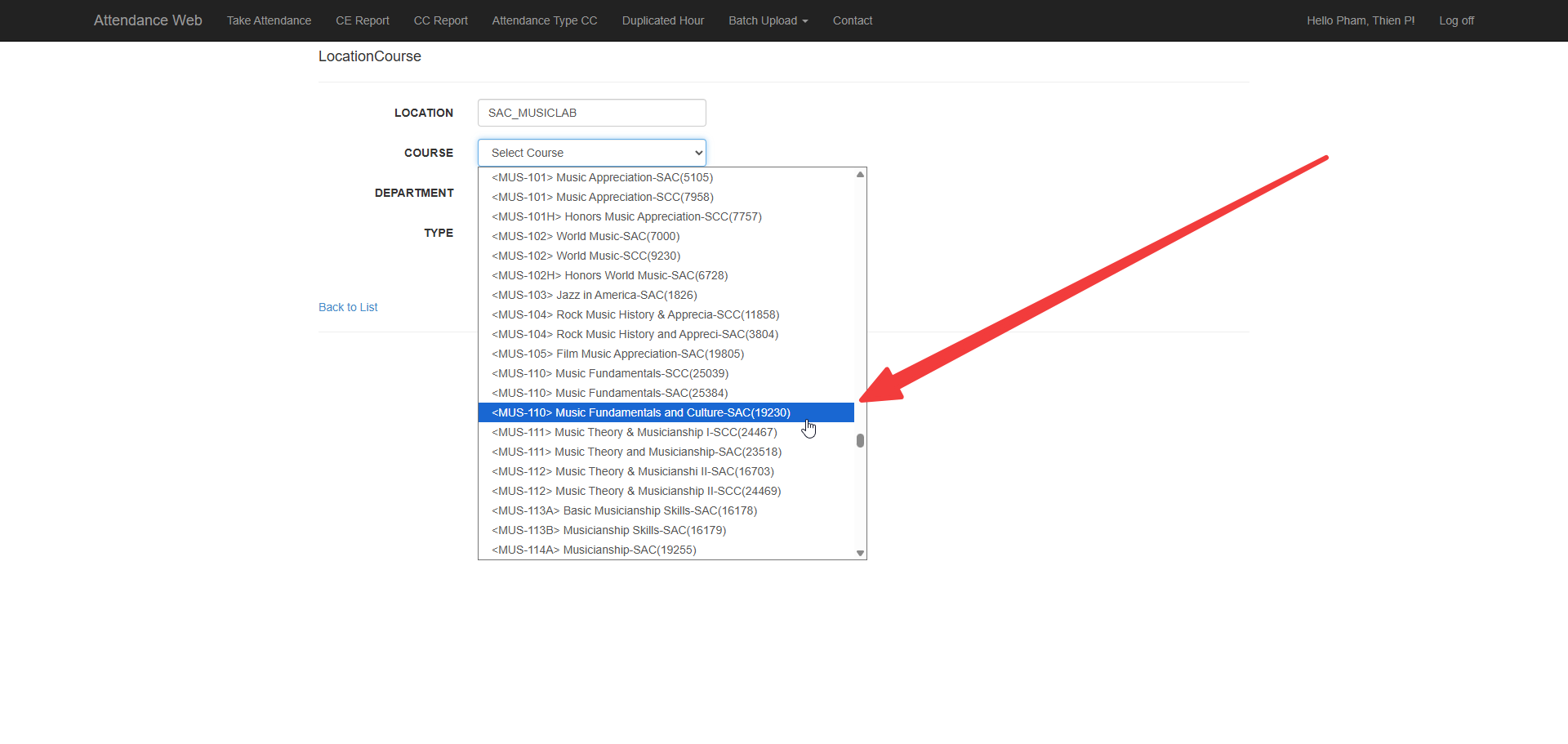
Select the course. (This is by Course ID, not by Section)
-
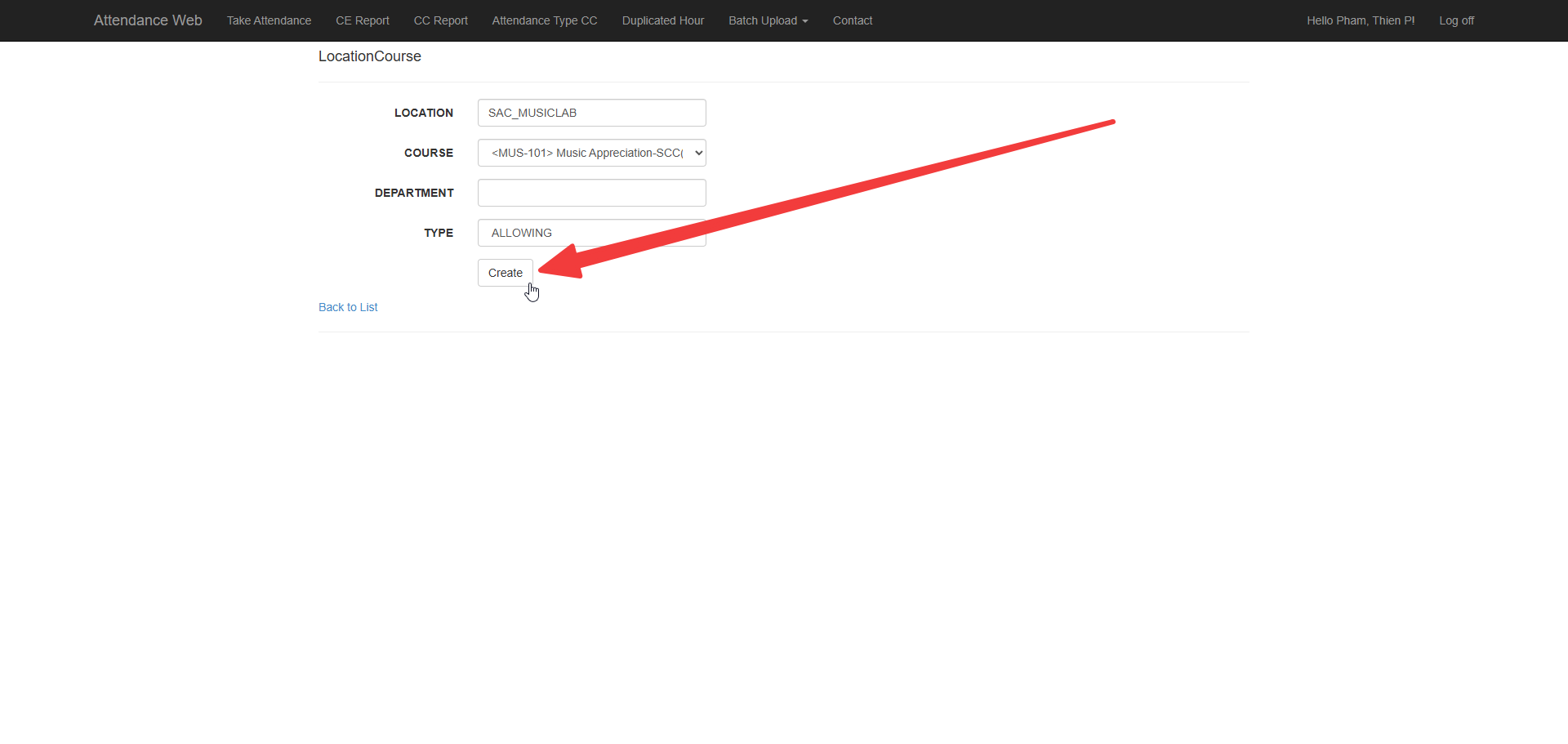
Click Create.
-
Repeat for any additional courses.