Total Transfer Unit Processing
← Calculating transfer units · Transcript overview
Total Transfer Unit Processing
SCAN
- Scan physical transcripts to Laserfiche.
- Electronic transcripts will already be on Laserfiche from ARII.
IASU
- Enter Student ID and press Enter.
-
Detail into the desired school.
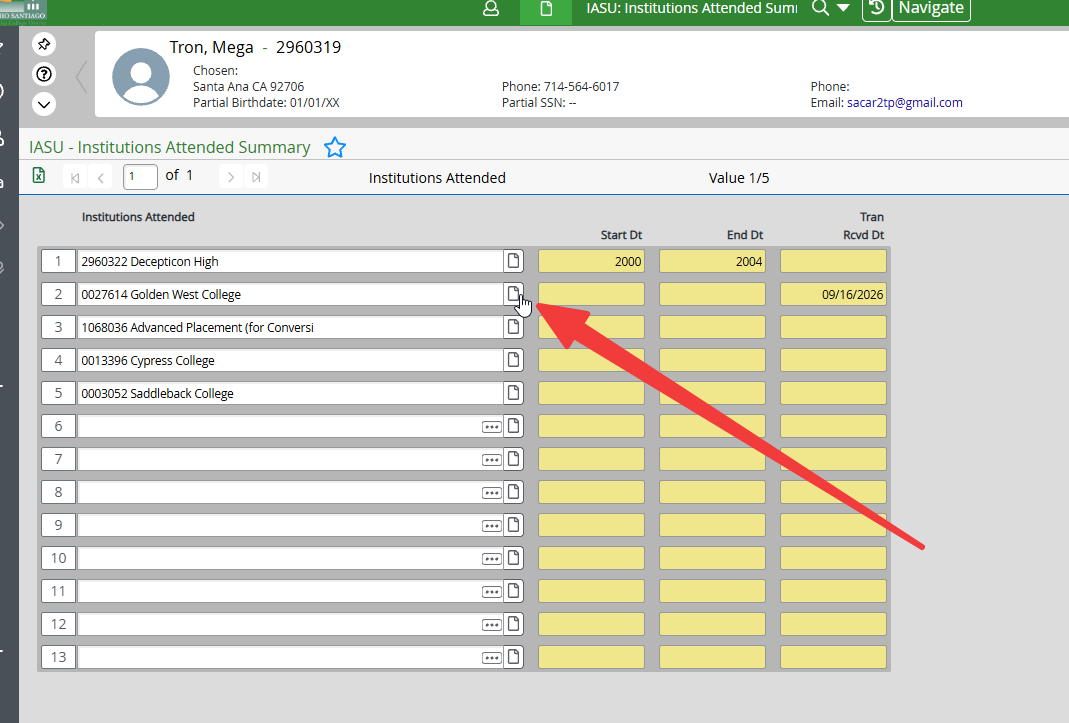
-
Click
1button to insert a new line (important for accurate transcript history).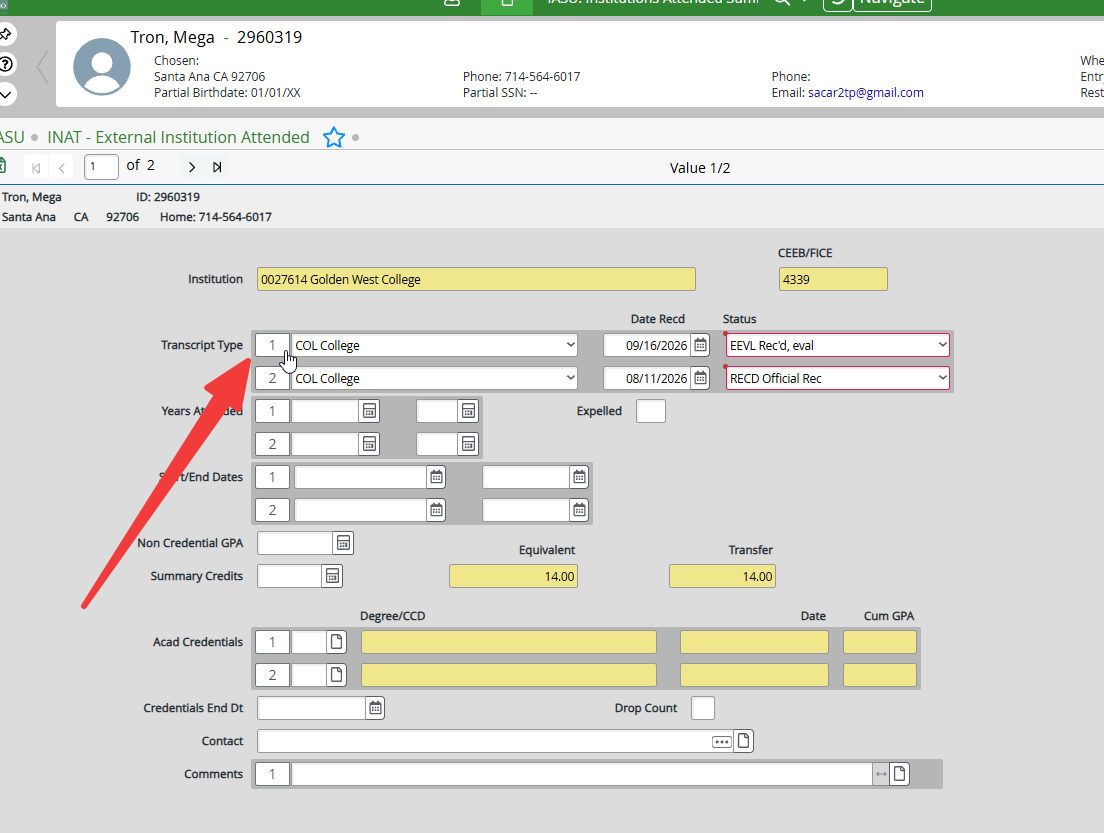
-
Enter fields:
Field Value Transcript Type COL— CollegeDate Recd Today's date Status UEVL(units only) /EEVL(C-ID evaluated) /TEVL(GE evaluated) /NOAC(not accredited)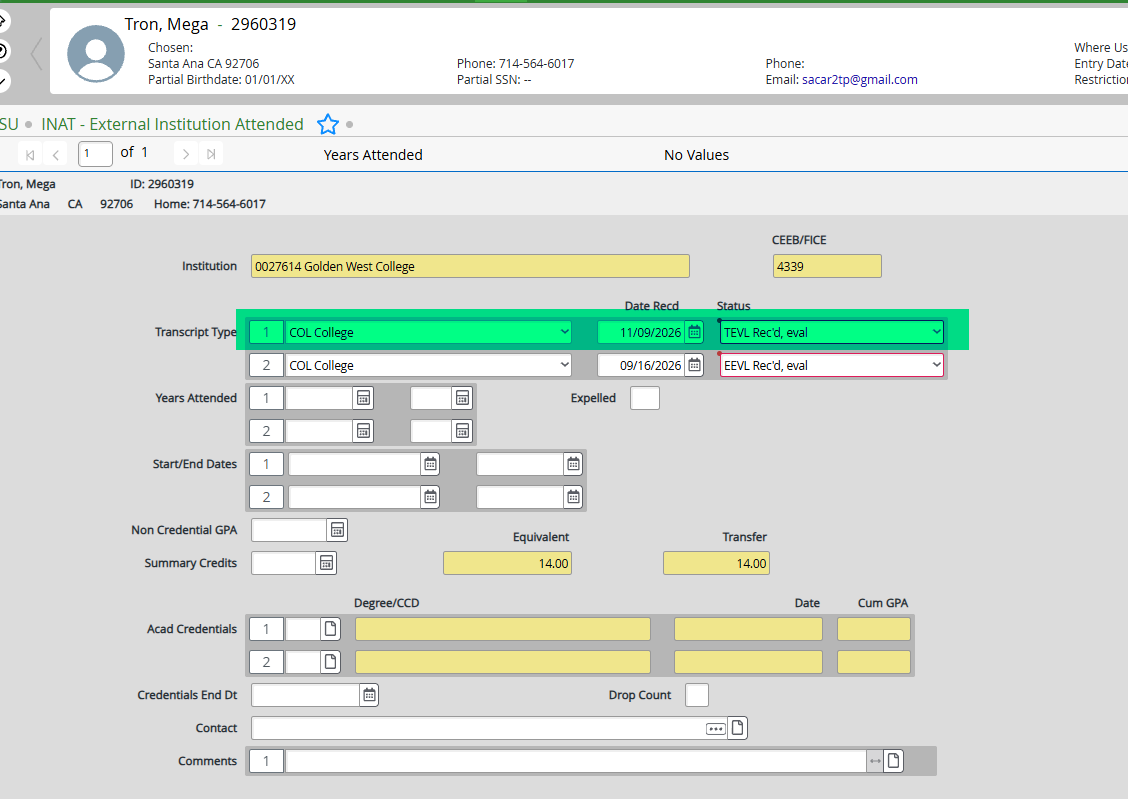
-
If school not listed: enter school name on a new line, find the school, then repeat above.
- Click Save All.
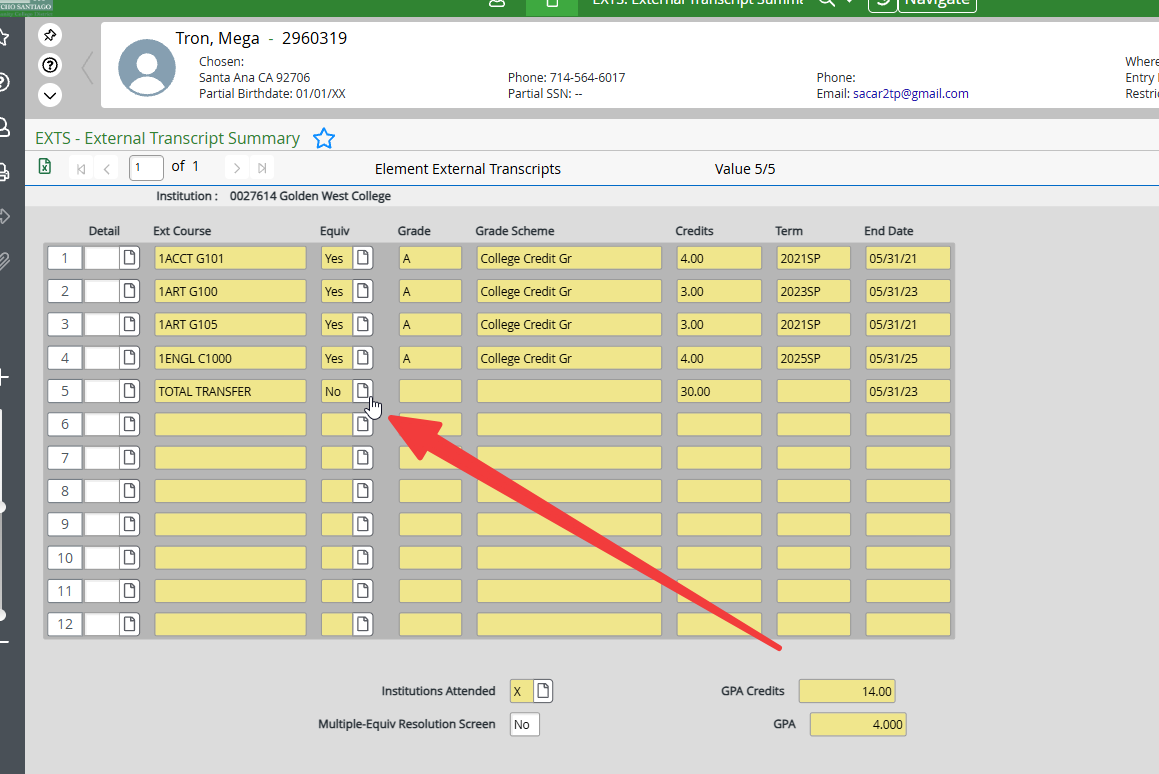
EXTS
- Enter Student ID and press Enter.
- Double-click on desired school.
- Detail into a new/empty line.
-
Enter fields:
Field Value External Course TOTAL TRANSFEREnd Date End date of last semester (Summer: 7/31/YY, Fall: 12/31/YY, Spring/Intersession: 5/31/YY) Title Total TransferCredits UNITS ATMPT units 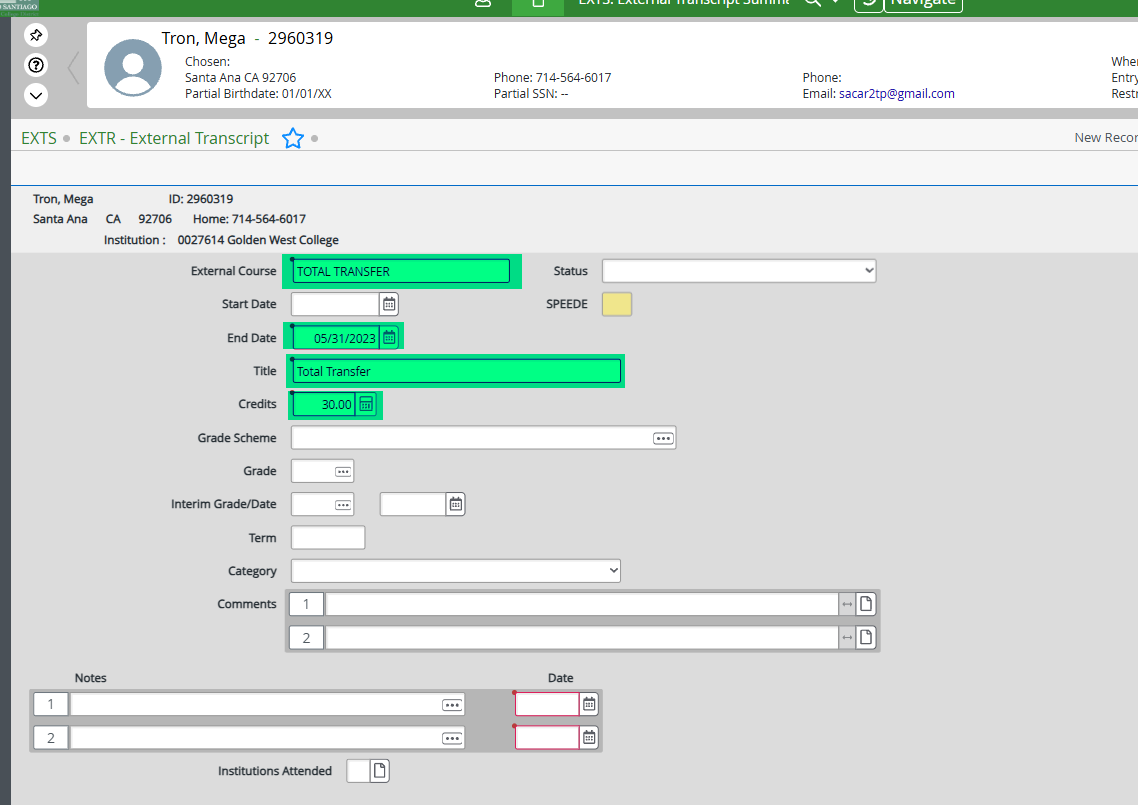
-
Click Save → OK → Update → Cancel.
-
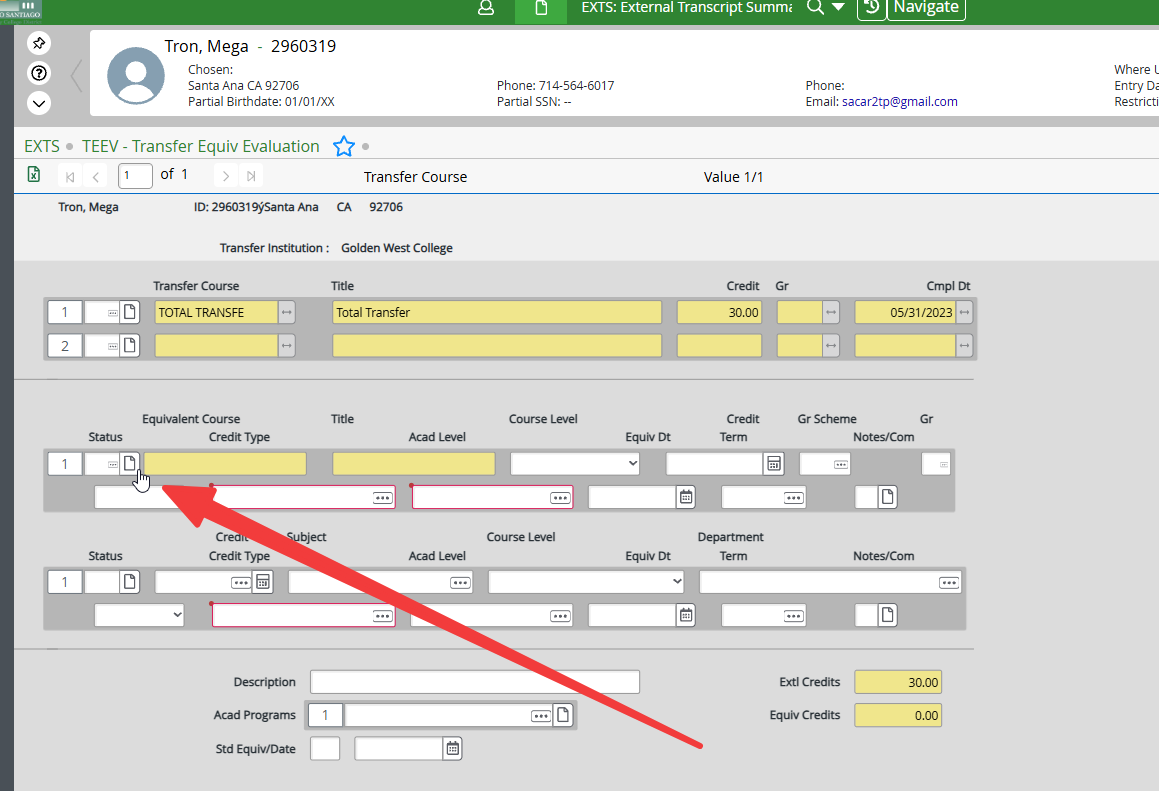
Detail into EQUIV.
-
Detail into Course Information → OK.
-
Type
TRN-TRN(not case-sensitive) → OK. -
Enter fields:
Field Value Credit UNITS ATMPT unitsStatus TRCredit Type T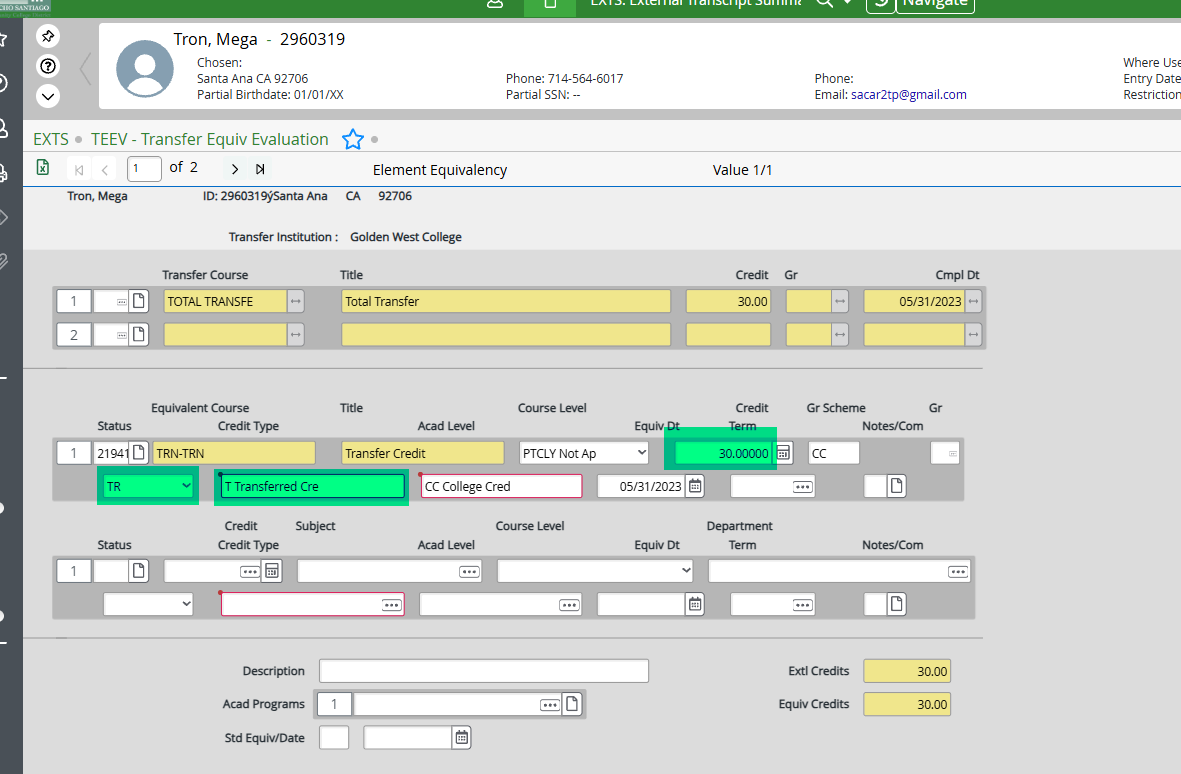
-
Click Save All.
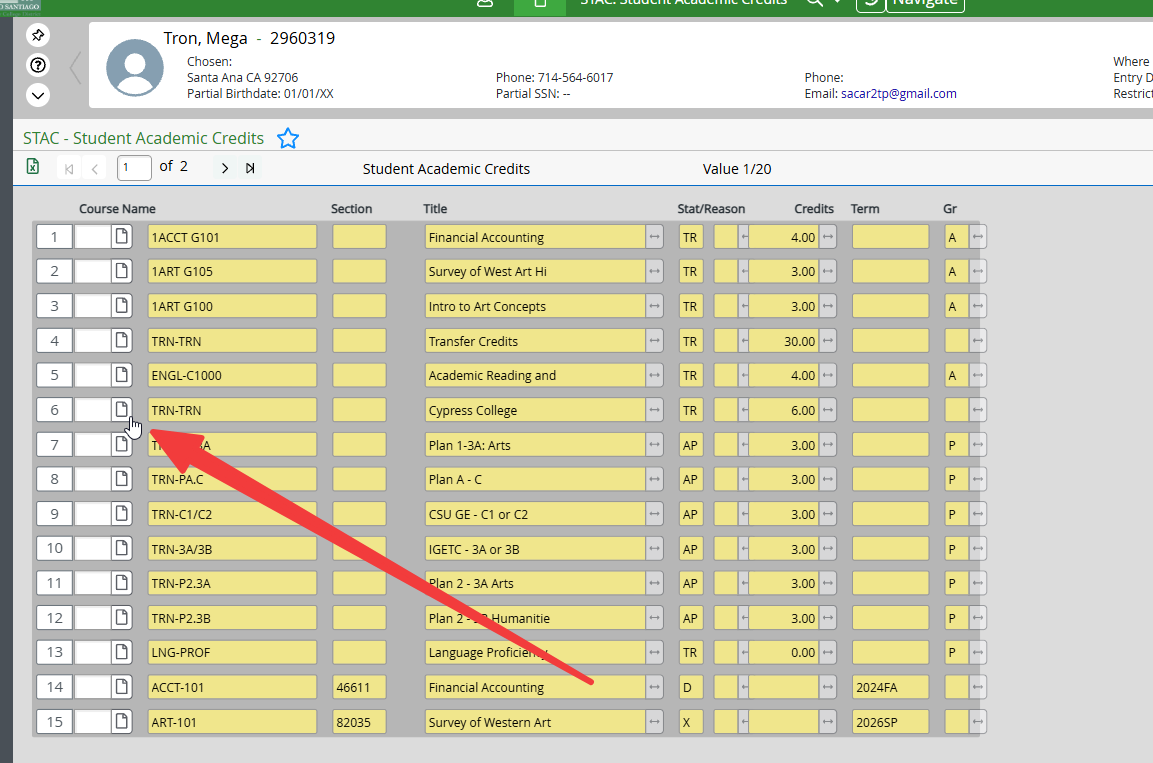
STAC
- Enter Student ID and press Enter.
-
Detail into the TRN-TRN course you created.
-
Select SACD → OK.
-
Enter fields:
Field Instructions Title Change to school name (e.g., Total Transfer → Fullerton College). Use the Naming Key. Att/Cmpl/GPA/Pts Enter totals. Cum Att/Cmpl/GPA/Pts Enter totals. Alt Att/Cmpl/GPA/Pts Enter totals. 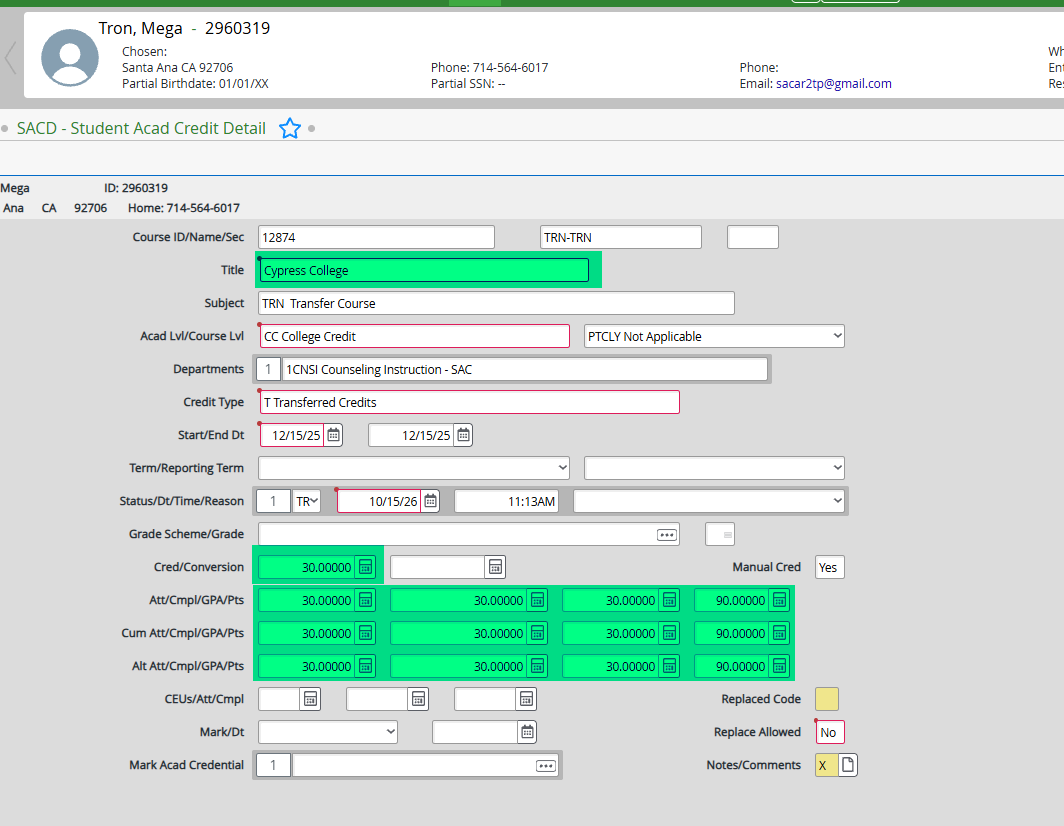
-
Detail into Notes/Comments → Comments → Timestamp → Click Save.
-
Click Save All.
Review transfer unit scenarios and verification · Transcript resources