Late Add Petitions
Overview
Late add petitions are requests submitted by students to enroll in a course after the official add period has ended. These petitions are typically reviewed on a case-by-case basis, and approval is not guaranteed.
Processing Steps
-
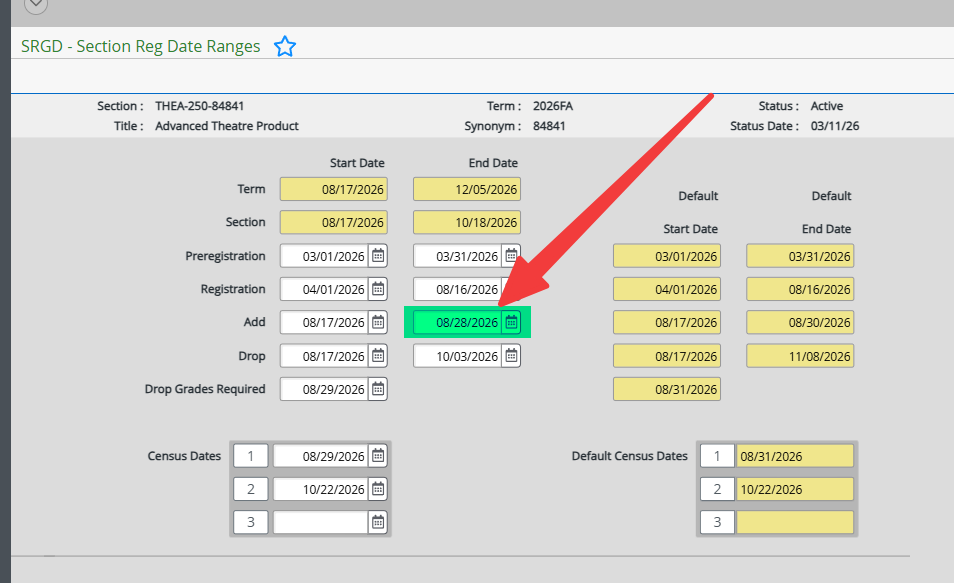
Navigate to SRGD on Colleague.
-
Look up the desired section by entering
//<section_number>and pressing Enter. -
Take note of the last date to add courses and then click Cancel All.
-
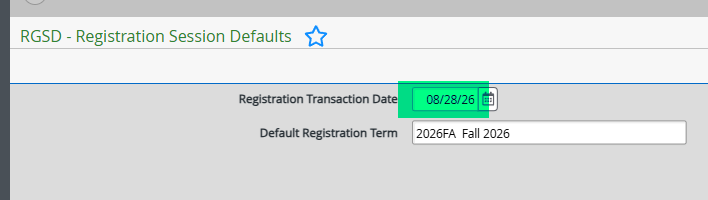
Navigate to RGSD on Colleague.
-
Update the Registration Transaction Date to the last date to add courses.
-
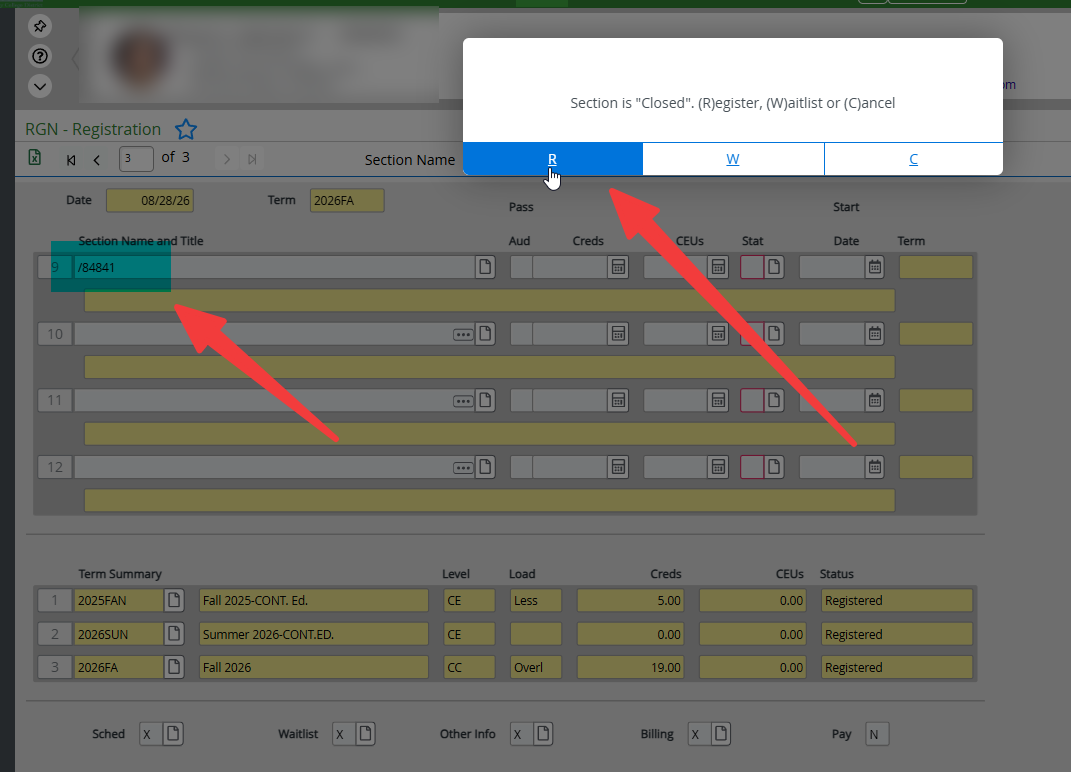
Navigate to RGN on Colleague.
-
Enter the student's ID and then the section number for the course they wish to add on a new line.
-
Press Enter and click R to register the student for the course.
-
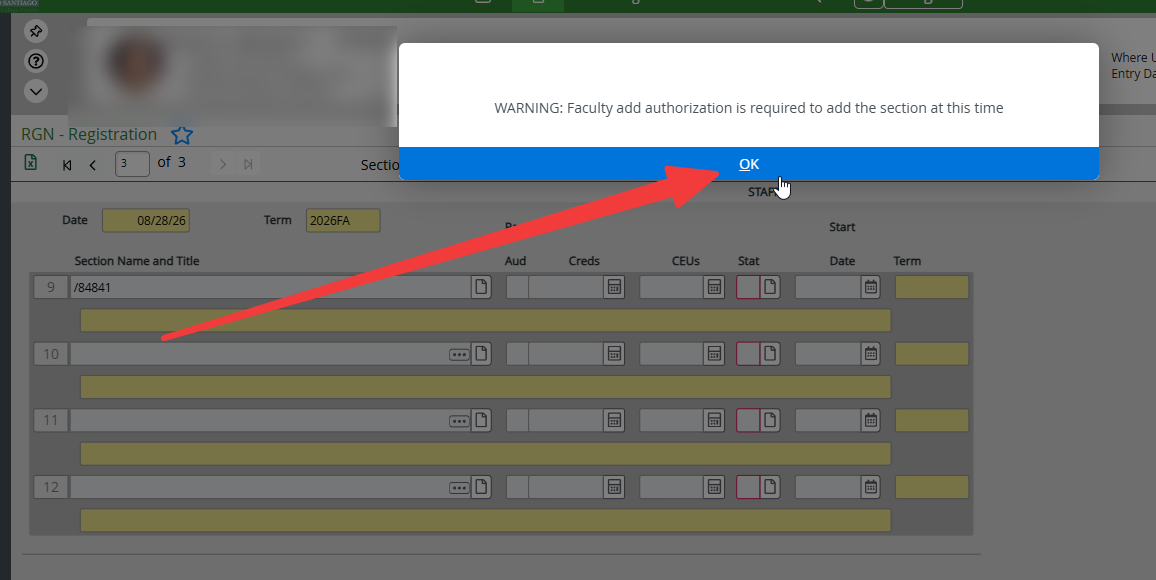
Press OK when prompted with the "WARNING: Faculty add authorization is required to add the section at this time" pop-up message.
-
Click Save All to finalize the registration.
-
Navigate to STAC on Colleague.
-
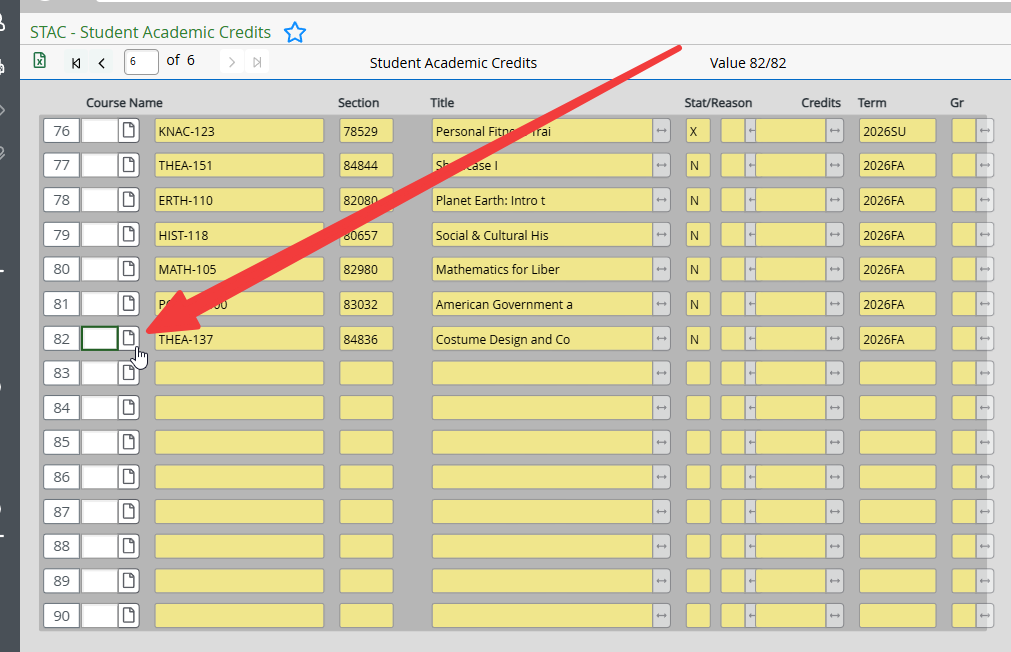
Detail into the newly registered class.
-
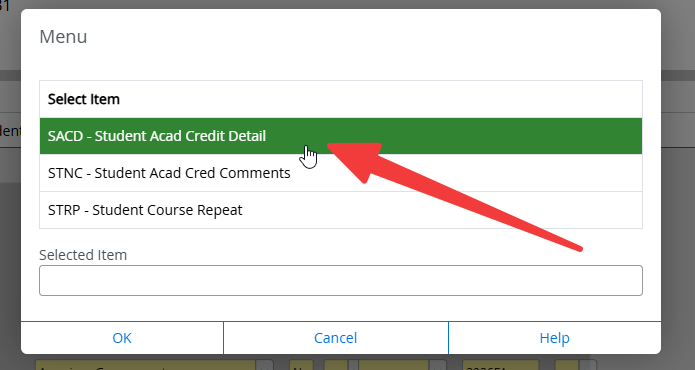
Double-click on SACD - Student Acad Credit Detail.
-
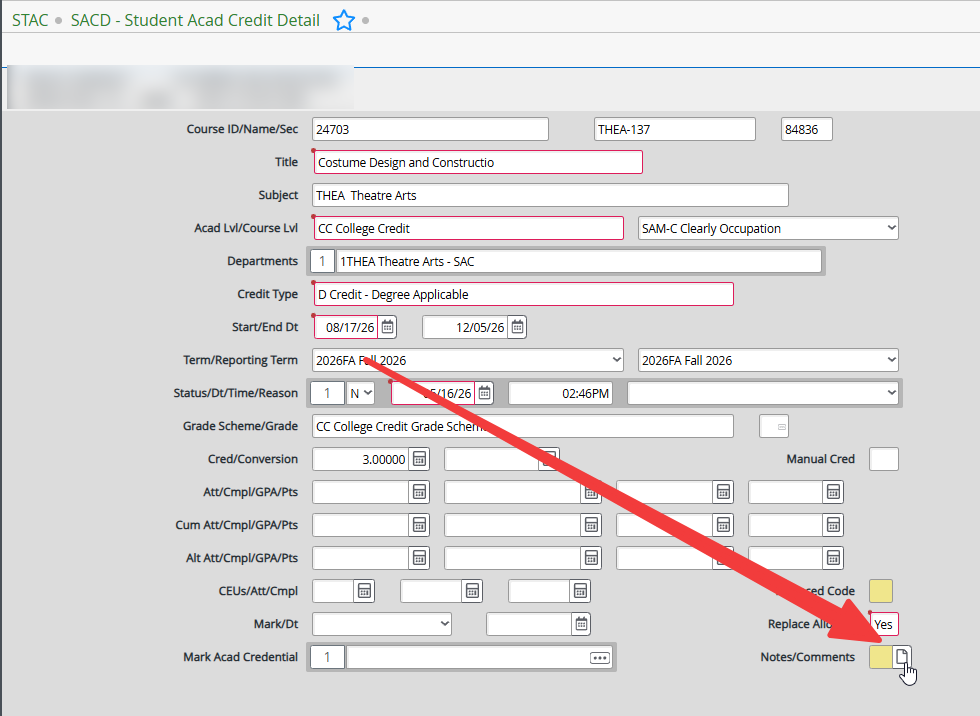
Detail into Notes/Comments.
-
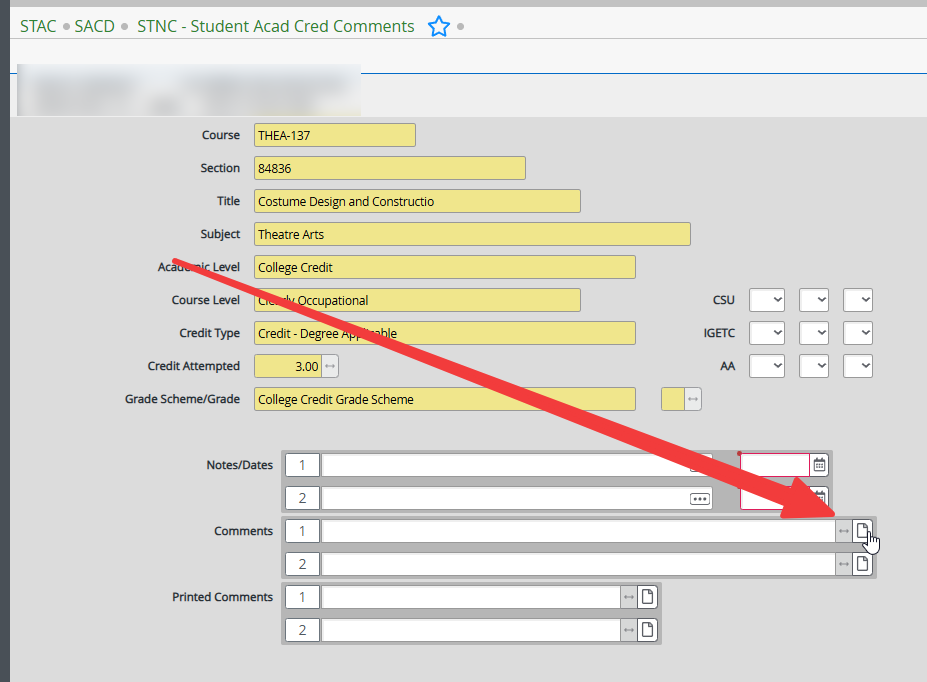
Detail into Comments.
-
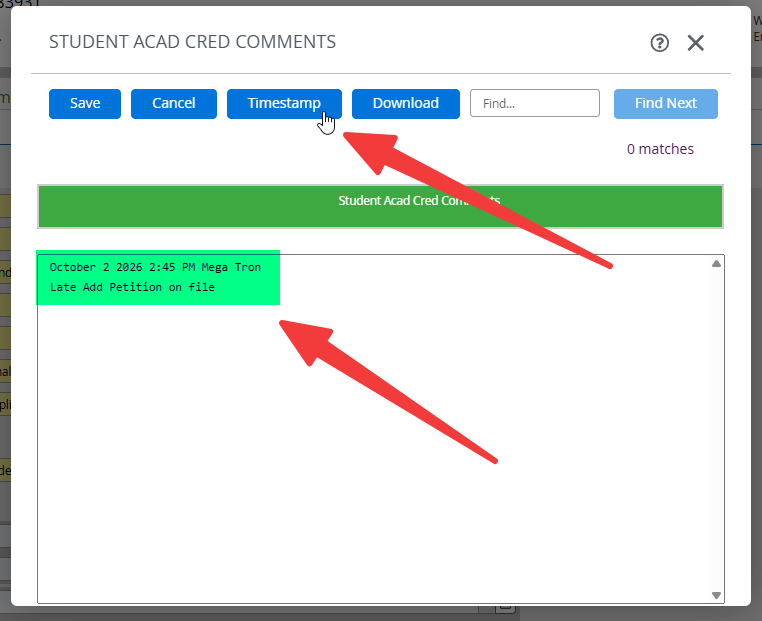
Click Timestamp and add comments.
-
Click Save and then Save All to finalize the comments.